Integrate Archivematica
Archivematica characterises each file during ingest by running a characterization command from its Format Policy Registry (FPR). It stores the XML that the command prints in the file's PREMIS objectCharacteristicsExtension. This page registers MES as such a command.
MES has no command-line mode of its own. The command is a small bash script, stored in the FPR, that sends the file to the MES REST API and prints the XML result.
How it works
- Archivematica runs the command for a file and replaces
%inputFile%with the file's path. - In the asynchronous version, the script uploads the file with
POST /api/v1/jobs/, pollsGET /api/v1/jobs/{job_id}/until the job has succeeded, and then printsGET /api/v1/jobs/{job_id}/result/withAccept: application/xmlon standard output. - If the job fails, times out or MES is unreachable, the script writes a message to standard error and exits non-zero, with nothing on standard output.
MES chooses the extraction tools itself. Archivematica needs one command, not one per tool. Set MES_URL in the environment of the Archivematica worker to change the address of MES. It defaults to http://172.17.0.1:8000, the Docker host as seen from a container.
MES is the default characterization
This example registers MES as the default characterization (purpose default_characterization), not as a rule for one format.
When MES runs, and when it does not
Archivematica runs the default characterization for every file format that has no characterization rule. If a rule exists for a format, the command assigned to that rule runs and MES is bypassed for those files. To have MES characterize such a format too, edit its rule so that it uses the MES command.
Check Characterization, Rules in the FPR to see which formats already have a rule.
Register MES
Use either the web UI or the SQL script. Both create the same three FPR records: a tool, a command and a rule.
With the Archivematica web UI
Open the dashboard and sign in. Then go to Preservation planning. The left menu lists the FPR sections used below.
1. Create the tool.
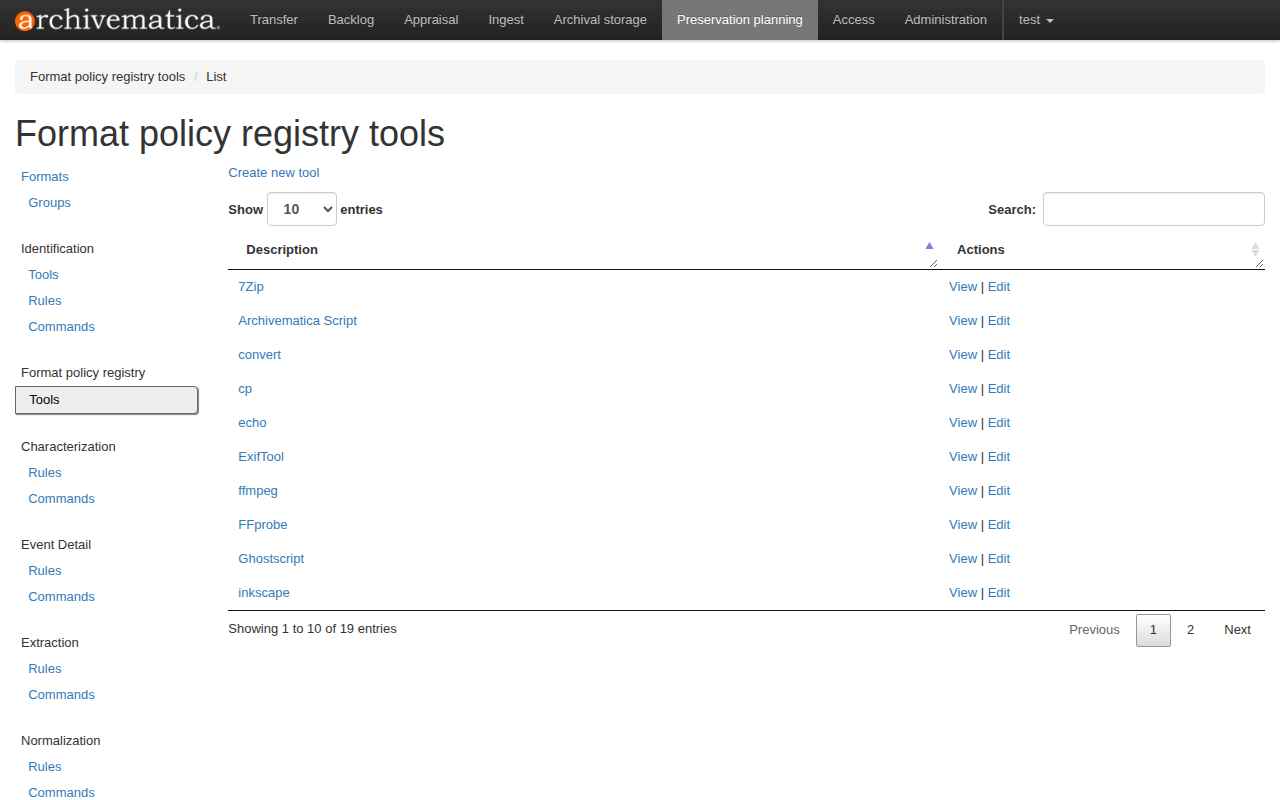
Under Format policy registry, click Tools, then Create new tool.
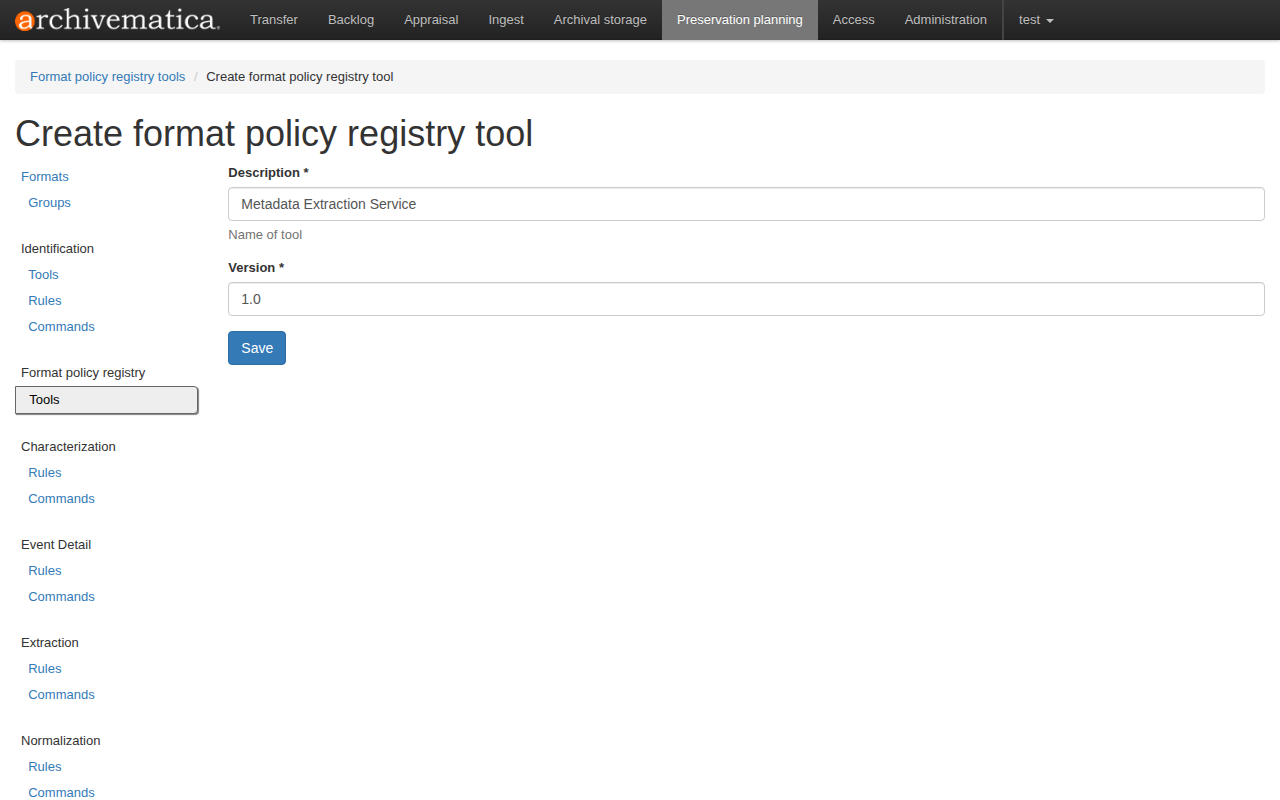
Enter the description Metadata Extraction Service and the version 1.0, then click Save.
2. Create the command.
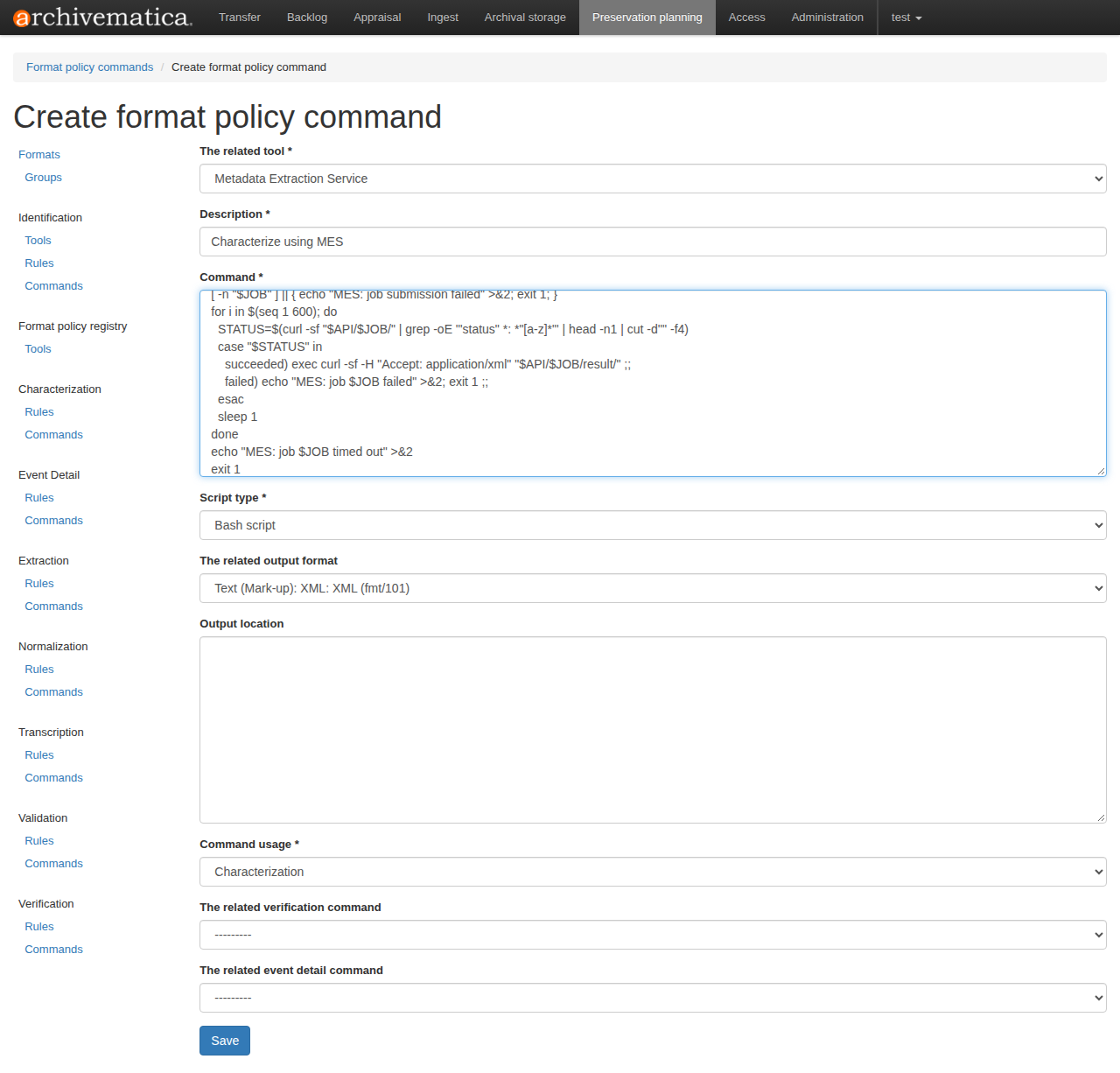
Under Characterization, click Commands, then Create new command, and fill in the form:
| Field | Value |
|---|---|
| The related tool | Metadata Extraction Service |
| Description | Characterize using MES |
| Command | The asynchronous script below, or the synchronous variant |
| Script type | Bash script |
| The related output format | Text (Mark-up): XML: XML (fmt/101) |
| Command usage | Characterization |
Leave the other fields empty and click Save.
Warning
Set the output format to XML (fmt/101). Archivematica only stores the output of a characterization command when that format is set. Otherwise it logs that the output is not XML and does not save it.
MES_URL="http://172.17.0.1:8000" # Replace MES_URL value with URL of you deployment
API="$MES_URL/api/v1/jobs"
JOB=$(curl -sf --max-time 300 -F "file=@%inputFile%" "$API/" | grep -oE '"job_id" *: *"[^"]*"' | cut -d'"' -f4)
[ -n "$JOB" ] || { echo "MES: job submission failed" >&2; exit 1; }
for i in $(seq 1 600); do
  STATUS=$(curl -sf "$API/$JOB/" | grep -oE '"status" *: *"[a-z]*"' | head -n1 | cut -d'"' -f4)
  case "$STATUS" in
    succeeded) exec curl -sf -H "Accept: application/xml" "$API/$JOB/result/" ;;
    failed) echo "MES: job $JOB failed" >&2; exit 1 ;;
  esac
  sleep 1
done
echo "MES: job $JOB timed out" >&2
exit 1
The script parses the JSON with grep and cut, so no jq is needed in the Archivematica container. It uses the asynchronous job routes, so MES must run with MES_ASYNC_ENABLED=true and Redis (see Use asynchronous jobs and Redis).
Synchronous variant
If MES runs without asynchronous jobs, or you prefer one request per file, use this command instead. It calls POST /api/v1/extract/, which returns the result in the same response:
MES_URL="http://172.17.0.1:8000" # Replace MES_URL value with URL of you deployment
OUT=$(curl -sf --max-time 300 -H "Accept: application/xml" -F "file=@%inputFile%" "$MES_URL/api/v1/extract/") \
  || { echo "MES: extraction request failed" >&2; exit 1; }
printf '%s\n' "$OUT"
The script prints to standard output only after a successful response, so a failure leaves no partial XML. The trade-off is that the HTTP connection stays open while MES extracts, so a slow file or a proxy timeout below 300 seconds fails the command. The asynchronous version avoids that by polling with short requests.
3. Create the default rule.
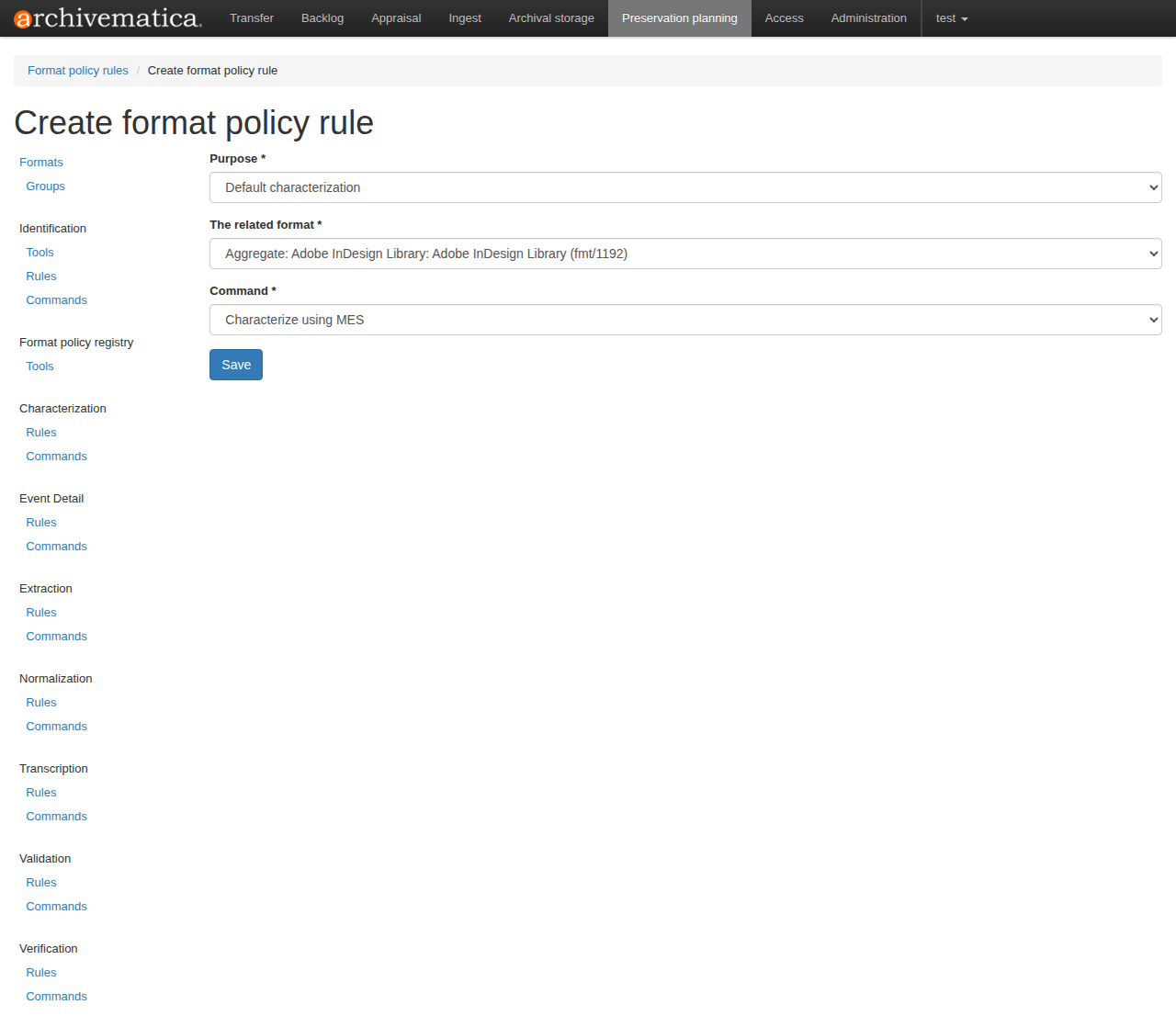
Under Characterization, click Rules, then Create new rule, and fill in the form:
| Field | Value |
|---|---|
| Purpose | Default characterization |
| The related format | Any entry. The form requires one, but Archivematica ignores it for a default rule. |
| Command | Characterize using MES |
Click Save.
4. Check the result.
Open Characterization, Rules, and pick the purpose Default characterization. The rule that uses Characterize using MES must be listed as enabled. Only one enabled default characterization rule is needed.
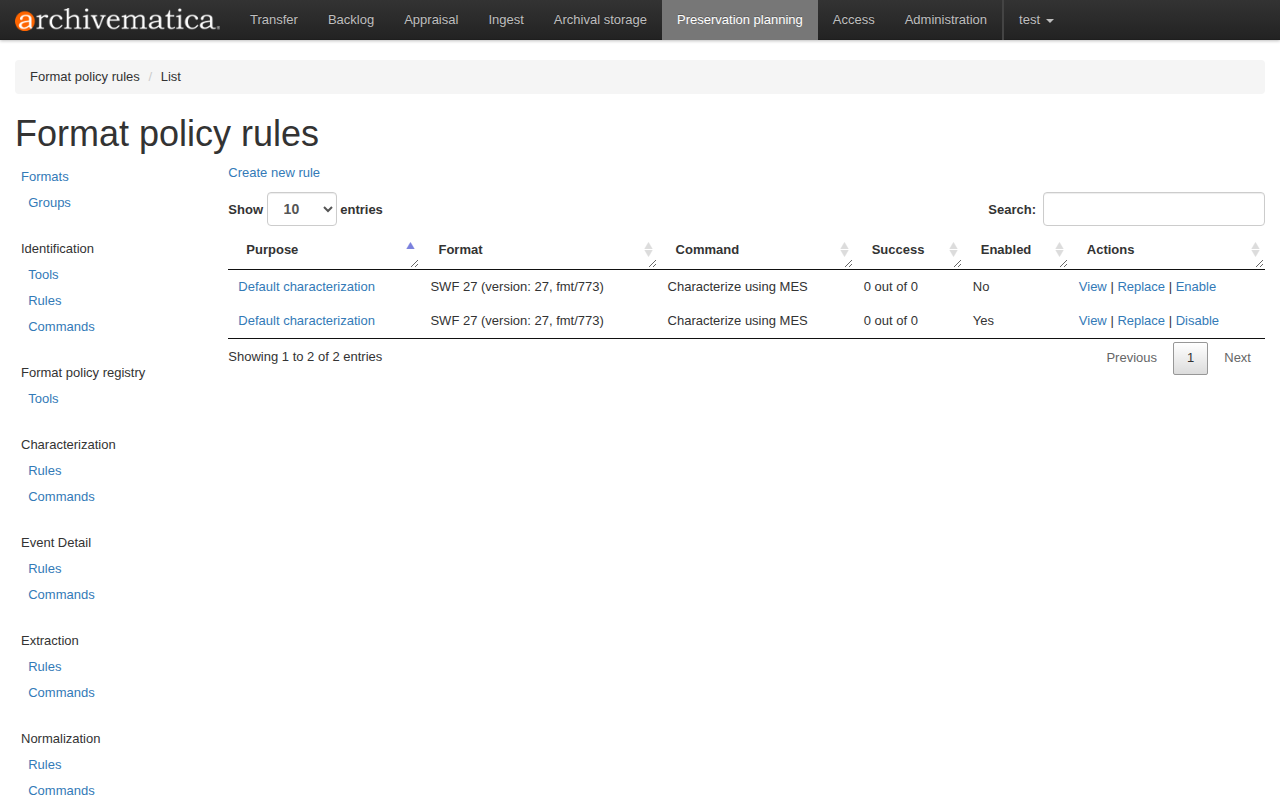
To change the script later, use Replace next to the command. Archivematica keeps the old version in the revision history and points the rule at the new one.
With the SQL script
The script below creates the same tool, command and default rule in one transaction. It was written for Archivematica 1.18 and is safe to run again: the tool and command use fixed UUIDs and the command text is refreshed.
Save it as archivematica-fpr.sql and run it against the dashboard database (MCP) of the Archivematica Docker Compose setup:
docker compose exec -T mysql mysql -uroot -p12345 MCP < archivematica-fpr.sql
Edit the @mes_command variable first if MES is not reachable at http://172.17.0.1:8000, or to use the synchronous variant.
-- Archivematica 1.18 FPR: register MES as a characterization tool and
-- make it the default characterization (used for files with no
-- format-specific characterization rule).
--
-- Run against the Archivematica dashboard database, e.g.
--   docker compose exec -T mysql mysql -uroot -p12345 MCP < sql
--
-- Safe to re-run: the tool and command use fixed UUIDs (the command text is
-- refreshed) and the rule is only inserted if missing.
--
-- Tables: fpr_fptool, fpr_fpcommand, fpr_fprule (fpr_fpcommand.tool_id and
-- fpr_fprule.command_id reference the uuid columns, not the integer ids).
-- Edit the command below to match how MES is deployed.

START TRANSACTION;

INSERT INTO fpr_fptool (uuid, enabled, description, version, slug)
SELECT '7d4e1c2a-5b0f-4a43-9c1e-3f6a8b2d9e10', 1,
       'Metadata Extraction Service', '1.0', 'mes'
WHERE NOT EXISTS (
    SELECT 1 FROM fpr_fptool WHERE uuid = '7d4e1c2a-5b0f-4a43-9c1e-3f6a8b2d9e10'
);

-- The command is a bash script: upload the single file as an asynchronous job,
-- poll the job until it finishes, then print the XML result on stdout (which is
-- what Archivematica stores in objectCharacteristicsExtension). PLEASE replace te value of
-- MES_URL the url of your deployment; JSON is parsed with grep/cut so no jq is needed.
SET @mes_command = 'MES_URL="http://172.17.0.1:8000"
API="$MES_URL/api/v1/jobs"
JOB=$(curl -sf --max-time 300 -F "file=@%inputFile%" "$API/" | grep -oE ''"job_id" *: *"[^"]*"'' | cut -d''"'' -f4)
[ -n "$JOB" ] || { echo "MES: job submission failed" >&2; exit 1; }
for i in $(seq 1 600); do
  STATUS=$(curl -sf "$API/$JOB/" | grep -oE ''"status" *: *"[a-z]*"'' | head -n1 | cut -d''"'' -f4)
  case "$STATUS" in
    succeeded) exec curl -sf -H "Accept: application/xml" "$API/$JOB/result/" ;;
    failed) echo "MES: job $JOB failed" >&2; exit 1 ;;
  esac
  sleep 1
done
echo "MES: job $JOB timed out" >&2
exit 1';

-- characterize_file.py only stores a command's stdout when the command's output format is
-- fmt/101 (XML); otherwise it logs "Tool output ... is not XML; not saving to database".
SET @xml_format = (SELECT MIN(uuid) FROM fpr_formatversion WHERE pronom_id = 'fmt/101');

INSERT INTO fpr_fpcommand (
    uuid, enabled, lastmodified, tool_id, description, command, script_type,
    output_location, output_format_id, command_usage,
    verification_command_id, event_detail_command_id, replaces_id
)
SELECT 'b3a9f0d4-61c8-4e27-8d5b-0a1c7e94f2a6', 1, NOW(6),
       '7d4e1c2a-5b0f-4a43-9c1e-3f6a8b2d9e10', 'Characterize using MES',
       @mes_command, 'bashScript',
       NULL, @xml_format, 'characterization', NULL, NULL, NULL
WHERE NOT EXISTS (
    SELECT 1 FROM fpr_fpcommand WHERE uuid = 'b3a9f0d4-61c8-4e27-8d5b-0a1c7e94f2a6'
);

-- Re-running updates the command of an existing install.
UPDATE fpr_fpcommand
SET command = @mes_command, script_type = 'bashScript',
    output_format_id = @xml_format, lastmodified = NOW(6)
WHERE uuid = 'b3a9f0d4-61c8-4e27-8d5b-0a1c7e94f2a6';

-- Default characterization rule: characterize_file.py falls back to all enabled
-- rules with purpose 'default_characterization' when a file has no
-- format-specific rule. fpr_fprule.format_id is NOT NULL, but is ignored for
-- this purpose, so any existing format version satisfies the constraint.
INSERT INTO fpr_fprule (
    uuid, enabled, lastmodified, purpose, command_id, format_id,
    count_attempts, count_okay, count_not_okay, replaces_id
)
SELECT UUID(), 1, NOW(6), 'default_characterization',
       'b3a9f0d4-61c8-4e27-8d5b-0a1c7e94f2a6',
       (SELECT MIN(uuid) FROM fpr_formatversion), 0, 0, 0, NULL
WHERE NOT EXISTS (
    SELECT 1 FROM fpr_fprule
    WHERE command_id = 'b3a9f0d4-61c8-4e27-8d5b-0a1c7e94f2a6'
      AND purpose = 'default_characterization'
);

COMMIT;
Try it
Start a transfer in Archivematica with a file whose format has no characterization rule. After ingest, open the file's PREMIS object. The MES result is inside objectCharacteristicsExtension. The provenance block in the result names the tools that ran.
Limits
- A job that finishes with some failed tools still counts as
succeeded. The script exits0and the failures are in the XML (see Result container and statuses). - MES returns its own result container. Check that your Archivematica version accepts it inside
objectCharacteristicsExtension. - The script uploads every file, so mind the upload limits.